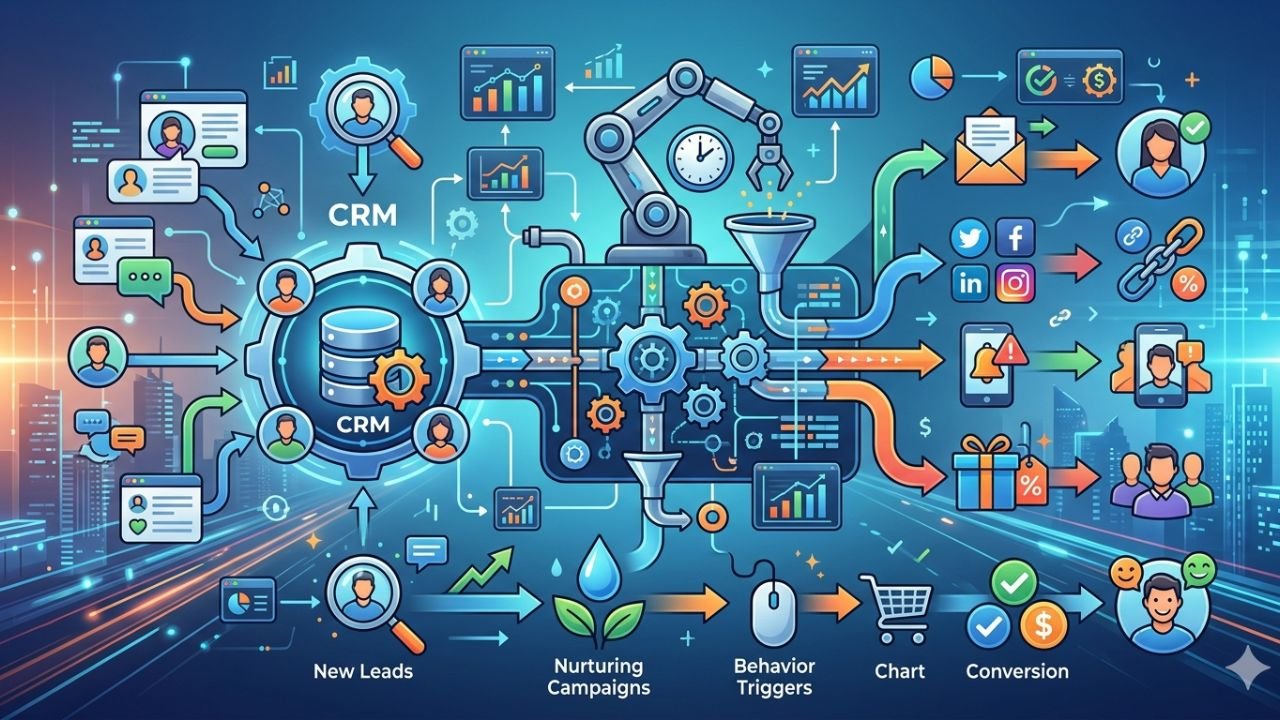
Picking the best CRM Tools in 2026 should be simple. But somehow it still turns into this weird, draining project where you demo five tools, everyone has opinions, nobody agrees, and three months later you are back in spreadsheets. Again.
So yeah. This list is written for that reality. Not the fantasy where the “best CRM” magically fixes your sales process. Or where the AI copilot writes perfect follow-ups and your pipeline cleans itself.
Why most “Best CRM Tools software lists are basically useless (and how this one is different)
Most CRM roundups follow the same script:
- Every tool is “powerful” and “easy to use”.
- Every tool has “automation” and “reporting”.
- And somehow the #1 pick just happens to be the one paying the highest affiliate commission.
What gets skipped is the part that actually matters in real life.
The tradeoffs. Like, yes, Salesforce can do basically anything. But are you ready to pay in admin time, training time, and “why is this field required” time.
Or HubSpot is ridiculously fast to adopt. But the price curve can get spicy the moment you need more seats, more workflows, more anything.
That is what I mean by “actually deliver” in this article. Not “has features”.
Deliver means:
- People actually use it without being forced
- Automation saves time in a measurable way
- Pipeline visibility is clean and honest
- Reporting does not make you want to scream
- Integrations are real, not just a Zapier workaround for everything
- Support is dependable when something breaks
- Pricing is transparent enough that you can plan ahead
Also, I am not going to pretend one CRM fits everyone. You get 12 picks, each with:
- Best fit use cases
- Standout strengths
- Real limitations
- Who should avoid it
- A quick setup tip so you do not waste week one
Quick note on 2026. AI is everywhere now. Every CRM has a copilot, an assistant, a magical summary button. Cool. But the winners are still the boring stuff: workflow fit, data quality, and whether your team trusts the system.
If your timelines are messy and your stages are vague, AI just helps you create more confident looking nonsense. That is not a win.
What a CRM should do in 2026 (the non negotiables)
If a CRM cannot do these things cleanly, I do not care how shiny the UI is.
1. Centralize contacts, companies, and deal history with clean timelines
You need a single place where anyone can open a record and immediately see:
- Emails
- Calls
- Meetings
- Notes
- Tasks
- Deal changes
- Next steps
Not scattered across three tabs and a sidebar that loads slowly. A real timeline. And it has to stay readable even when you have 18 months of activity.
2. Pipeline management that matches how you actually sell
A pipeline is not a decoration. It is your operating system.
Non negotiables here:
- Custom stages that match your sales motion
- Multiple pipelines if you sell different motions (self serve vs enterprise, new business vs renewals)
- Probabilities you can adjust, not just default guesses
- Basic forecasting that is not a science project
If your CRM forces you into someone else’s pipeline model, your team will either rebel or quietly stop updating it. Sometimes both.
3. Decide your “source of truth”
This is where a lot of CRM projects fail without anyone noticing.
You need to decide what system is the truth for core business data:
- CRM first: sales owns the truth, other tools sync in
- ERP or accounting first: finance systems drive account data
- Marketing first: HubSpot style, lifecycle stages and attribution are the core
There is no universally correct answer. But if you do not decide, you end up with duplicate records, conflicting fields, and reporting nobody trusts.
4. Choose your implementation style: DIY vs partner led
Some CRMs are built for DIY. You can be live in a weekend.
Others are built for “platform” reality, meaning you either have an internal admin who loves systems, or you are paying a partner. Sometimes forever.
Be honest about which one you are.
5. Red flags to avoid
If you are demoing CRMs, watch for these. They are the ones that come back later and hurt you.
- Overly complex UI that requires training just to log a call
- Hidden limits, like “automation” that only exists on higher tiers
- Weak reporting that cannot handle basic filters and cohorts
- Poor mobile app if your team works on the move
- Data that is hard to export cleanly, especially activities and custom objects
If exporting feels like a punishment, that is a signal. You are not “choosing a CRM”. You are being captured.
The simple checklist to pick the right CRM (in 10 minutes)
If you are overwhelmed, do this first. Literally grab a note and answer these.
1. Primary goal
Choose the one that best describes what you need most:
- Close more deals faster
- Manage accounts and renewals
- Support and retention
- Marketing automation and attribution
2. User count
- How many users now?
- How many in 12 months?
Pricing scales per seat in most CRMs. Seat growth is where budgets get surprised.
3. Source of truth
Decide whether your CRM, ERP, or marketing platform is the primary system of record. Pick one and align all integrations around it.
4. Implementation style
- DIY setup
- Partner led onboarding
Be realistic. If nobody on your team enjoys systems, do not pick a tool that requires a part time admin to survive.
5. Red flags
- Does it feel “heavy”?
- Are limits hidden?
- Does reporting look like it needs a consultant?
- Is mobile an afterthought?
- Does exporting look painful?
That is enough to shortlist 2 or 3 Best CRM Tools without spiraling.
Additionally, as we navigate through this process of selecting the right CRM, it’s crucial to understand the broader context of how these systems fit into our overall business strategy. This understanding can be significantly enhanced by leveraging advanced technologies such as context graphs, which offer a unique perspective on data relationships and can drive more informed decision-making.
How I evaluated these top CRM platforms (so the ranking makes sense)
I did not rank these as “1 is best, 12 is worst”. That is not how CRMs work.
Instead, these are “best for” picks. Each one actually delivers for a certain type of team. The goal is to match your business to the right tool, not chase the most popular logo.
Here is what I cared about when evaluating:
- Ease of use and adoption: will reps use it without being chased
- Pipeline flexibility: stages, multiple pipelines, activity rules
- Automation depth: workflows, routing, sequences, tasks
- Reporting and forecasting: can leadership trust the numbers
- Integrations and ecosystem: native integrations, marketplace, API maturity
- Customization: fields, objects, permissions, layouts
- AI usefulness: not “does it have AI”, but does it help with real work
- Admin controls and governance: roles, audit history, data hygiene
- Total cost of ownership: seats, add ons, implementation, admin time
Also. Pricing and features change constantly. Treat any CRM purchase like you treat hiring. Confirm current plan details before you commit, especially around automation limits, reporting depth, and what counts as a “user”.
Best CRM Tools 2026: The 12 that actually deliver
How to use this list.
Pick 2 or 3 that fit your motion. Then run a 14 to 30 day pilot with:
- Real deals
- Real reps
- Real reporting needs
- Real integrations (at least email and calendar)
Do not do a “toy demo” and call it evaluation. Every CRM looks good with fake data.
Each tool below includes: best for, standout strengths, limitations, and one quick setup tip.
1. HubSpot CRM: best all in one CRM for growth teams that want speed
HubSpot is the one I see adopted fastest. Not because it is “the best” at every single thing. But because it is clean, friendly, and it feels like the product actually wants you to win.
Best for
- Startups and SMBs that want CRM now, with the option to add marketing and service later
- Inbound heavy teams that care about lead lifecycle and attribution
- Companies that value speed and usability over deep customization
Standout strengths
- Great UI. People do not hate using it, which is a major feature.
- Strong contact timelines. Easy to understand what happened and what is next.
- Email tracking and logging that is simple for reps
- Workflows are powerful once you are on the right tiers
- Huge integration ecosystem
Limitations to be aware of
- Pricing can climb quickly as you scale seats and need more automation, reporting, or objects
- Advanced customization tends to push you into higher tiers
- Some teams prefer a lightweight CRM plus best-of-breed Best CRM Tools. HubSpot leans suite.
Quick setup tip
Build one pipeline first. One. And create a “definition of done” for each stage so your data stays clean when you start scaling.
Who should avoid HubSpot
- Very price sensitive teams planning to scale headcount fast
- Teams needing highly customized objects and workflows without paying higher tiers
- Organizations that strongly prefer best-of-breed tools with a lightweight CRM core
2. Salesforce Sales Cloud: best enterprise CRM for customization and ecosystem depth
Salesforce is still the heavyweight. If you need governance, custom objects, complex permissions, multi team workflows, it is hard to beat.
But it is not a casual choice. It is a platform decision.
Best for
- Mid market and enterprise with complex processes
- Multiple sales teams, regions, product lines
- Companies that need serious governance and customization
Standout strengths
- Customization depth. Objects, fields, layouts, automations, all of it.
- Enterprise grade permissions and controls
- Reporting and forecasting options are extensive
- AppExchange ecosystem is massive
- Strong partner network if you want implementation support
Limitations to be aware of
- Adoption overhead. A powerful tool can still be annoying to use day to day.
- Customization can create technical debt if not governed
- You will likely need dedicated admin ownership
The real cost of Salesforce (what people forget)
Salesforce pricing is not just the line item you see on the plan page.
People forget:
- Admin time, either internal or hired
- Consultant or partner costs during implementation and later changes
- Ongoing maintenance of customizations
- Training time across departments
- The slow creep of “we need one more field” turning into a messy system
Salesforce can absolutely deliver. But it delivers best when you treat it like a product you own, not a tool you rent.
3. Pipedrive: Best CRM Tools for small sales teams that live in the pipeline
Pipedrive is one of the cleanest “pipeline first” CRMs. It does not try to be everything. It tries to make selling feel obvious.
And for a lot of small teams, that is exactly the point.
Best for
- SMB sales teams that want simple, visual deal management
- Founder led sales moving into a small team
- Teams that value activity tracking and next steps
Standout strengths
- Fast to set up. You can be running in a day.
- Intuitive pipeline view that reps actually like
- Activity based selling is baked in
- Strong automations for the price
- Solid reporting for SMB needs
What to watch
- Less native marketing and service depth than suite CRMs
- You may need add ons or integrations for full lifecycle management
2026 fit
A great “do the basics extremely well” CRM. Especially if your main problem is pipeline clarity and rep execution.
Quick setup tip
Enforce an activity rule. Make “next step required” a team norm. If there is no next activity, the deal is not real. This one change keeps the pipeline honest.
4. Zoho CRM: best value CRM suite when you want lots of features without enterprise pricing
Zoho is the value monster. You get a lot. Sometimes almost too much.
If you are willing to configure and standardize, Zoho can cover sales, marketing, support, and ops without the enterprise price tag.
Best for
- Budget-conscious teams needing customization and a broader suite
- Businesses that want one vendor for many functions
- Teams with someone willing to own setup and governance
Standout strengths
- Flexible modules and customization
- Automation options that go beyond basics
- Multi channel communication features
- Strong value across the Zoho ecosystem
What to watch
- UX can feel dense
- Setup choices can overwhelm new teams
- Consistency varies across Zoho apps. Some feel polished, others feel… fine.
2026 fit
Strong when you are willing to do the work upfront. If you want plug and play simplicity, look elsewhere.
Quick setup tip
Limit custom fields early. Seriously. Build around 3 to 5 core reports you will review weekly, then expand only when those reports are stable.
5. Microsoft Dynamics 365 Sales: best CRM for Microsoft first organizations
Dynamics is the obvious choice if your company lives in Microsoft 365, Teams, and the Power Platform. When it is aligned, it can feel seamless.
When it is not, it can feel like a licensing puzzle wrapped in an implementation project.
Best for
- Companies standardized on Microsoft 365
- Teams using Teams heavily for deal collaboration
- Organizations with Power BI and Power Automate capabilities
Standout strengths
- Tight integration with Outlook and Teams
- Strong enterprise CRM capabilities
- Extensibility through Power Automate and Power BI
- Works well when your broader stack is Microsoft
What to watch
- Implementation complexity
- Licensing can be confusing
- Often needs technical ownership, not just a sales ops generalist
2026 fit
Excellent when CRM plus analytics plus workflow automation are built on the Microsoft stack. If you already have that muscle, Dynamics delivers.
Quick setup tip
Map your sales process to Teams channels and templates. Make deal reviews consistent. When Teams becomes the rhythm and Dynamics becomes the record, adoption improves a lot.
6. Freshsales (Freshworks): Best CRM Tools for SMBs that want built in calling and a clean UI
Freshsales hits a sweet spot for SMBs. Clean UI, solid automation, and built in communication features that reduce tool switching for reps.
Best for
- Inbound or outbound SMB teams that need calling, email, and automation in one place
- Teams that want fast adoption without enterprise overhead
- Businesses that care about rep workflow simplicity
Standout strengths
- Easy to learn and use
- Built in phone features (availability varies by plan and region)
- Solid sequences and automation
- Good value for the feature set
What to watch
- Advanced customization is not as deep as Salesforce or Dynamics
- Niche integrations may lag bigger ecosystems
2026 fit
Great for teams that want reps doing most of their work inside one workspace, not bouncing between five tabs.
Quick setup tip
Set lead scoring rules and routing early. Route by region or industry from day one. Otherwise the “inbound leads are slow” complaint shows up fast.
7. Monday Sales CRM: best for teams that want CRM plus lightweight work management
If your sales process is tightly connected to delivery, onboarding, ops, or a project team, monday can be a surprisingly good fit.
It feels like a CRM that grew up in a collaboration tool. Because it did.
Best for
- Teams already using monday.com
- Sales teams that need visibility into delivery or onboarding
- Organizations that want customization without heavy admin
Standout strengths
- Flexible boards that can match different sales motions
- Simple automation that non technical users can set up
- Collaboration and handoffs feel natural
- Easy to customize without becoming an IT project
What to watch
- Can become spreadsheet like if you do not standardize
- Deep CRM analytics might require extra setup and discipline
2026 fit
Strong for teams where sales does not end at closed won, and everyone needs visibility into what happens next.
Quick setup tip
Lock down deal stage definitions and required fields. Without governance, you will get 14 variations of “Negotiation” and your reporting will quietly die.
8. Insightly: best CRM for teams that manage projects after the deal closes
Insightly is built for the handoff. If your revenue depends on delivery, implementation, or project execution after the sale, this matters more than people think.
Best for
- Agencies and services businesses
- Teams that need sales to project handoff in one system
- Companies where delivery milestones tie to retention and expansion
Standout strengths
- Relationship linking between contacts, orgs, and projects
- Built in project management tie in
- Workflow automation that supports handoffs
- Decent reporting
What to watch
- Not always best in class for pure sales execution compared to pipeline first CRMs
- If you are doing high volume outbound sales, other tools may be faster
2026 fit
Useful when post sale execution is tightly coupled to revenue. Which is most services businesses, honestly.
Quick setup tip
Design handoff stages and templates so delivery starts automatically at Closed Won. The less manual work between “sold” and “started”, the better your retention will be.
9. Copper: best CRM for Google Workspace native teams
Copper is the “please just make it easy” CRM for Google Workspace teams. If adoption is your biggest issue, Copper is worth a serious look.
Best for
- Teams living in Gmail and Google Calendar
- Small teams that want minimal CRM friction
- Businesses that value simplicity over deep customization
Standout strengths
- Excellent Google Workspace integration
- Simple contact and deal management
- Low overhead, less admin burden
What to watch
- Limited for complex reporting and forecasting
- Heavy automation and custom objects are not its main thing
2026 fit
Perfect when adoption is the number one problem and you need a CRM people will actually use consistently.
Quick setup tip
Standardize labels, tags, and pipeline stages early. Copper’s simplicity is great, but you still need data consistency or reporting becomes vague fast.
10. Close: best CRM for outbound sales teams (calling plus sequences)
Close is built for inside sales. High volume outreach, speed to contact, sequences, calling. It is rep first.
If your team spends the day prospecting and following up, Close can feel like home.
Best for
- Outbound and inside sales teams
- High volume follow up motions
- Teams that want built in calling and sequences without stitching Best CRM Tools together
Standout strengths
- Built in calling
- Power dialer features (plan dependent)
- Sequences that are actually usable for reps
- Fast workflow, strong activity tracking
What to watch
- Not ideal for complex account based enterprise workflows
- Limited marketing and service features compared to suite CRMs
2026 fit
Excellent when rep productivity and speed to contact drive revenue. It is not trying to be everything. It is trying to make outbound work.
Quick setup tip
Build sequences by persona, not by product. Then track connect rate and reply rate weekly. If those two metrics improve, you will feel it in revenue.
11. Nimble: best relationship CRM for individuals and small teams (especially social selling)
Nimble is for relationship driven selling. Consultants, small agencies, founders who sell through networks. The vibe is “keep track of humans”, not “manage a sales factory”.
Best for
- Consultants and solo operators
- Small agencies
- Relationship and network driven sellers
- Social selling workflows
Standout strengths
- Contact enrichment and social context
- Simple pipelines that do not get in the way
- Lightweight outreach and follow ups
What to watch
- Not designed for complex forecasting
- Heavy automation and enterprise governance are not the focus
2026 fit
Strong when relationships matter more than process. And yes, that is still a lot of businesses.
Quick setup tip
Create a consistent touch cadence pipeline. Something like New, Warm, Nurture, Reconnect, Active Opportunity. The goal is to make “staying in touch” systematic without feeling robotic.
12. Bitrix24: best for teams that want CRM plus collaboration tools in one platform
Bitrix24 is a bundle. CRM plus chat, tasks, basic contact center features, and more. For cost conscious teams that want one platform to cover a lot of ground, it can be compelling.
But it needs governance. Otherwise it turns into “we have 40 modules and nobody knows where anything lives”.
Best for
- Small businesses wanting CRM bundled with collaboration
- Teams trying to consolidate Best CRM Tools for cost reasons
- Companies that want an all in one workspace
Standout strengths
- Broad feature set for the price
- Collaboration Best CRM Tools included
- Flexible setup options
What to watch
- UI complexity
- Feature overlap can confuse users
- Needs governance to stay clean
2026 fit
Good for cost conscious teams that want an all in one workspace, as long as you keep it simple.
Quick setup tip
Disable modules you will not use. Keep the CRM surface area small. Your future self will thank you.
Quick recommendations (pick based on your business type, not hype)
If you just want a simple cheat sheet:
- Want the easiest all in one growth stack: HubSpot CRM
- Enterprise complexity and need a true platform: Salesforce or Dynamics 365
- Need sales to project handoff: Insightly
- Want simple relationship management: Nimble
- Want bundled collaboration plus CRM: Bitrix24
And if you are a small sales team living in the pipeline: Pipedrive is still one of the cleanest choices.
How to implement a CRM so it actually gets used (the part most teams skip)
Buying the CRM is not the hard part. The hard part is getting consistent behavior from humans.
Most teams skip implementation discipline because it feels slow. Then they end up with a CRM nobody trusts, and leadership starts asking for reports that do not match reality, and reps stop updating because “what is the point”. So. Here is the simple version.
Start with one pipeline and one ICP
Do not model the entire company on day one. Pick:
- One pipeline
- One ideal customer profile segment
- One sales motion
Get that working. Then expand.
Define required fields and naming conventions
You need consistency, or reporting becomes fiction.
At minimum define:
- Lead status
- Lifecycle stage
- Deal stage definitions
- Required fields at key transitions (like moving into Proposal)
Keep required fields minimal, but meaningful. Too many required fields is how you train people to enter junk data.
Build your weekly operating rhythm
CRMs fail when they are “extra work”. They succeed when they are part of the rhythm.
Examples:
- Weekly pipeline review uses the CRM view, not someone’s spreadsheet
- Stage exit criteria is reviewed in meetings
- Follow ups and tasks are created in system, not in personal notes
When the CRM becomes the place where the team runs the week, adoption stops being a debate.
The 5 CRM metrics that tell you if it’s working
These are the numbers that reveal the truth.
1. User adoption
- Measure the percent of reps logging activity weekly
- Look at logins plus real activity, not just logins
2. Pipeline coverage
- Compare pipeline value against quota or target
- If coverage is thin, forecasting gets weird fast
3. Stage conversion rates and cycle length by segment
- Measure conversion between stages and time spent in each stage
- Segment by deal type or ICP because averages lie
4. Lead response time
- Pay close attention to inbound leads in particular
- Speed matters a lot, and the CRM is where speed gets measured
5. Forecast accuracy
- Compare committed versus closed revenue over time
- If accuracy is consistently off, your stages or probabilities are wrong, your reps are guessing, or usually both
If those five improve over 60 to 90 days, your CRM is working. If they do not, you have a process problem, not a “feature gap”.
Let’s wrap up: choose the Best CRM Tools that fits your workflow (and run a real pilot)
The best CRM software is the one your team uses consistently. Not the one with the most features, the one your competitor uses. Not the one with the fanciest AI summary button.
Shortlist based on your motion:
- Inbound growth and lifecycle: HubSpot
- Outbound speed and sequences: Close
- Pipeline clarity for small teams: Pipedrive
- Enterprise platform and governance: Salesforce or Dynamics
- Google native simplicity: Copper
- Relationship selling: Nimble
- Sales to project handoff: Insightly
- Budget suite with flexibility: Zoho
- CRM plus lightweight work management: Monday Sales CRM
- CRM plus collaboration bundle: Bitrix24
- Clean SMB workspace with calling and automation: Freshsales
Next step, keep it practical:
- Pick 2 tools.
- Set up the same pipeline stages and the same 3 to 5 reports in both.
- Run a 30 day pilot with real deals and real reps.
- Decide based on adoption and visibility, not vibes.
Do that and you will avoid the most common CRM outcome. Paying for something powerful that nobody uses.
FAQs (Frequently Asked Questions)
Q1. Why are most “best CRM software” lists considered useless, and how is this list different?
Most Best CRM Tools roundups tend to hype every tool as “powerful” and “easy to use,” often ignoring real-life tradeoffs like admin time, pricing curves, and usability. Additionally, some lists prioritize Best CRM Tools paying the highest affiliate commissions. This list focuses on practical factors that truly matter: actual user adoption without force, measurable automation benefits, honest pipeline visibility, dependable support, transparent pricing, and real integrations.
Q2. What are the non-negotiable features a CRM must have in 2026?
A CRM in 2026 must centralize contacts, companies, and deal history with clean timelines showing emails, calls, meetings, notes, tasks, deal changes, and next steps in one readable place. It should offer pipeline management that matches your actual sales process with custom stages and multiple pipelines if needed. Deciding your system of truth (CRM-first, ERP-first, or marketing-first) is essential. Also crucial is choosing an implementation style that fits your team—DIY or partner-led—and avoiding red flags like overly complex UIs or hidden limits.
Q3. How do I decide the “source of truth” for my business data when choosing a CRM?
You need to determine which system will be the primary source for core business data to avoid duplicate records and conflicting fields. Options include making your CRM the source of truth (sales-driven), your ERP/accounting system (finance-driven), or your marketing platform (marketing-driven). There isn’t a universally correct answer; aligning integrations around one chosen system ensures trustworthy reporting and data consistency.
Q4. What red flags should I watch out for when demoing CRMs?
Be cautious of Best CRM Tools with overly complex user interfaces requiring training just to perform basic tasks like logging calls. Hidden limits such as automation features only available on higher tiers can be problematic. Weak reporting capabilities that can’t handle basic filters or cohorts, poor mobile apps for teams on the move, and difficulty exporting data cleanly—especially activities and custom objects—are all warning signs that you might end up trapped rather than empowered by the CRM.
Q5. How can I quickly shortlist suitable CRMs without getting overwhelmed?
Start by answering five quick questions:
1) What is your primary goal (e.g., close deals faster, manage renewals)?
2) How many users do you have now and expect in 12 months?
3) What is your chosen source of truth (CRM/ERP/marketing platform)?
4) What implementation style suits you best (DIY or partner-led)?
5) Are there any red flags like heavy UI or painful exporting? This simple checklist helps narrow down options effectively in about 10 minutes.
Q6. Does AI integration guarantee a better CRM experience in 2026?
While AI copilots and assistants are now common across Best CRM Tools, offering features like magical summaries and follow-up suggestions, they don’t replace foundational needs. The winners still focus on solid workflow fit, high data quality, and earning team trust. If your sales timelines are messy or stages vague, AI might just help create more confident-looking but inaccurate data—not a true solution.